We may earn a commission when you buy through links on this page, at no extra cost to you. How this works.
Kado C24 Trio Series 24" Curved 1920x1080 75Hz Triple Monitor Setup (3-Pack)
Field of view, bezel interruptions, GPU load, and physical footprint compared.
Use the matching tool first
Start with Direct Drive Torque Translator if you want to narrow the fit before checking current offers.
Choosing between an ultrawide monitor and a triple screen setup determines your sim racing field of view geometry, bezel management, GPU workload, mounting requirements, and cockpit footprint. Both configurations deliver wider horizontal visibility than a single 16:9 display, but they differ in how pixels wrap around your peripheral vision, how many bezels interrupt the scene, what GPU horsepower you need, and how much desk or rig space you occupy.
This guide compares ultrawide and triple screen setups for PC sim racing cockpits. It excludes virtual reality headsets, single 16:9 displays, and console setups where multi-monitor support is limited or absent. The goal is to make the tradeoffs between ultrawide and triple screens concrete: ultrawide monitors offer a single curved or flat panel with zero bezels, while triple screens deliver a wider total field of view at the cost of two vertical bezel lines, higher GPU demand, and more complex mounting hardware.
Field of view calculation differs between the two. Ultrawide panels typically span 32 to 49 inches diagonally with 21:9 or 32:9 aspect ratios, producing horizontal FOV between 90 and 120 degrees depending on screen curvature and viewing distance. Triple screen setups usually combine three 24- to 27-inch 16:9 panels in landscape or portrait orientation, achieving horizontal FOV up to 180 degrees when angled correctly, though bezels divide the image at roughly the A-pillar positions in most cockpit views.
GPU load scales with total pixel count. A single 49-inch 32:9 ultrawide at 5120×1440 resolution pushes 7.37 million pixels, comparable to triple 1920×1080 displays (6.22 million pixels) but lower than triple 2560×1440 screens (11.06 million pixels). Frame rate stability at high refresh rates depends on whether your GPU can sustain the pixel budget while running sim-specific graphics settings like mirrors, shadows, and anti-aliasing.
Mounting complexity and physical footprint separate the two approaches. Ultrawide monitors require a single VESA mount or desk stand, simplifying cable management and reducing wobble. Triple screen setups demand either a dedicated triple monitor stand with adjustable angle arms or three individual mounts aligned precisely, plus three DisplayPort or HDMI cables and careful bezel-gap calibration in each sim's graphics menu.
This guide walks through field of view geometry, bezel impact on immersion, GPU requirements by resolution tier, mounting hardware options, and desk or rig space planning to help you match your budget, available GPU, and cockpit layout to the right monitor configuration.
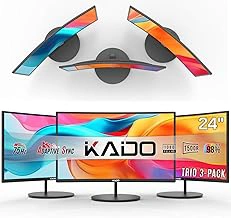
Kado C24 Trio Series 24" Curved 1920x1080 75Hz Triple Monitor Setup (3-Pack)
The Kado C24 Trio Series delivers three 24-inch curved 1920×1080 panels in a single package, making it the most affordable way to build a triple-screen sim racing setup. Each monitor runs at 75 Hz and shares a multipleR curve, creating multiple million total pixels across the combined display area - a resolution that places minimal stress on mid-range GPUs and leaves headroom for higher detail settings in demanding titles like Assetto Corsa Competizione or iRacing.
Because all three screens ship together, you avoid the hassle of mismatched panels or chasing identical models after one sells out. The packaged approach also simplifies driver configuration and color matching, since firmware and backlight tuning come from the same batch. At $205.73 for the trio, the per-panel cost undercuts most standalone 24-inch options and reduces the need to budget separately for each display.
The trade-offs center on scale and flexibility. A 24-inch diagonal produces a narrower horizontal field of view than larger triples, so peripheral vision - especially in open-wheel cockpits with exposed wheels - won't stretch as far into your natural sight line. The 75 Hz ceiling is workable for most sim racing frame rates, but competitive drivers who maintain multiple+ fps in less-demanding sims will notice the refresh cap. Mounting hardware bundled with the set may not include VESA adapters, which can complicate integration with dedicated sim cockpits or monitor arms that rely on standard 75×the listed size or multiple×the listed size patterns. If your rig uses a purpose-built triple stand, confirm adapter availability before committing to this package.
Choose the C24 Trio if you want the lowest entry cost, plan to run 1080p at medium-to-high settings, and either use the included stands on a desk or have a cockpit frame that accommodates non-VESA brackets. Skip it if you need larger width for a wider FOV, demand refresh rates above 75 Hz, or require VESA compatibility for your existing mount.
- ✅ Three matched 24-inch curved panels in one package at $205.73 total cost
- ✅ 1920×1080 per screen (6.22M total pixels) keeps GPU demand low
- ✅ 75 Hz refresh and factory-matched color tuning simplify setup
- ⚠️ 24-inch diagonal delivers narrower peripheral FOV than 27-inch triples
- ⚠️ 75 Hz ceiling limits headroom for high-refresh competitive racing
- ⚠️ Bundled stands may lack VESA mount compatibility for cockpit frames
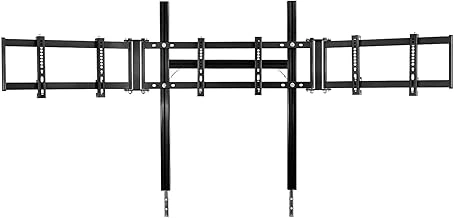
Marada Aluminum Profile Cockpit Triple Monitor Stand for Racing Simulators
Triple monitor geometry demands rigid, repeatable positioning - wobble or flex during hard braking will shift your FOV and break immersion. The Marada Aluminum Profile Cockpit Triple Monitor Stand mounts directly to multiple×the listed size or multiple×the listed size aluminum profile cockpits, eliminating the desk-clamp flex that plagues freestanding arms. The frame uses T-slot extrusion joints and adjustable VESA plates (multiple×the listed size and multiple×the listed size compatible), so you dial in angle, height, and convergence once, then lock it down with no drift between sessions.
Aluminum construction absorbs high-frequency vibration from direct-drive wheelbases better than thin steel brackets, keeping bezel lines steady when you clip a curb at multiple mph. The cockpit-mount design also frees desk space and routes cables cleanly through the profile channels, reducing clutter behind the center screen. Because the stand integrates with your rig's structure, you can adjust seat position without re-leveling three separate monitor arms.
The tradeoff is upfront complexity and cost. At $115.24, the stand adds a meaningful line item to your triple screen budget, and installation requires measuring, squaring, and tightening a dozen T-nuts and bolts - plan for an hour of assembly and fine-tuning. You'll also need an aluminum profile cockpit; the stand won't work with desk setups or tube-frame rigs. If you already run an multiple/multiple-style frame and value zero-flex geometry over plug-and-play convenience, this stand provides the structural backbone that cheap clamp arms cannot match.
Rated 4.2 out of 5, the Marada stand delivers cockpit-grade rigidity and precise VESA adjustability for sim racers who want their triple monitor FOV locked in for the long haul.
- ✅ Mounts directly to 40×40 mm or 80×80 mm aluminum profile cockpits, eliminating desk-clamp flex
- ✅ T-slot extrusion joints and adjustable VESA plates (75×75 mm and 100×100 mm) enable precise angle and convergence tuning
- ✅ Aluminum construction absorbs wheelbase vibration and keeps bezel lines steady
- ✅ Frees desk space and routes cables cleanly through profile channels
- ⚠️ $115.24 adds a meaningful line item to triple screen budgets
- ⚠️ Installation requires measuring, squaring, and tightening multiple T-nuts - plan for an hour of assembly
- ⚠️ Requires aluminum profile cockpit; incompatible with desk setups or tube-frame rigs
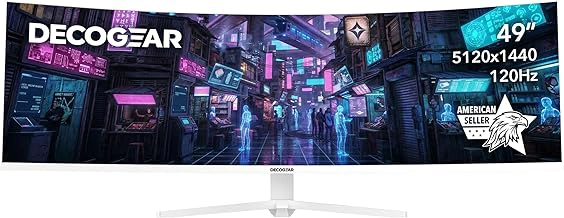
Deco Gear 49" Curved Ultrawide 5K 120Hz Gaming Monitor with USB-C (White Edition)
The Deco Gear 49" Curved Ultrawide delivers multiple×multiple resolution (multiple million pixels) across a single panel, eliminating bezels entirely while keeping GPU load lower than 4K triple setups. The multiple:9 aspect ratio wraps cockpit and side mirrors into one seamless image, and the 120 Hz refresh rate provides smooth frame delivery for most mid-range GPUs without the synchronization complexity of three separate displays.
USB-C input enables single-cable connection for compatible laptops and desktops, consolidating video, data, and power delivery. The white edition housing suits brighter sim rig aesthetics, and the curved profile reduces head movement compared to flat ultrawides. Mounting requires only one VESA bracket instead of triple-monitor arms, saving desk depth and simplifying cable routing.
The tradeoff is narrower peripheral field of view: a 49" ultrawide extends roughly the listed size wide, while three multiple" screens in landscape span approximately the listed size, offering deeper side vision for spotting late-braking rivals. The multipleR curve pulls the edges closer than triple bezels would, but late-apex cues and pit-lane traffic remain less visible than on a full triple array. For single-seater disciplines where forward focus dominates, the zero-bezel canvas and reduced hardware overhead make this layout efficient and visually cohesive.
- ✅ 5120×1440 resolution spreads 7.37M pixels with no bezel interruptions
- ✅ 120 Hz refresh rate balances smoothness and GPU compatibility
- ✅ USB-C input consolidates video, data, and power in one cable
- ✅ Single VESA mount simplifies installation and reduces desk footprint
- ✅ 1800R curve reduces head movement compared to flat ultrawides
- ⚠️ Narrower total width than triple 27" screens limits peripheral field of view
- ⚠️ 32:9 aspect ratio may crop or stretch UI elements in older sim titles
- ⚠️ White housing shows dust and fingerprints more readily than black bezels
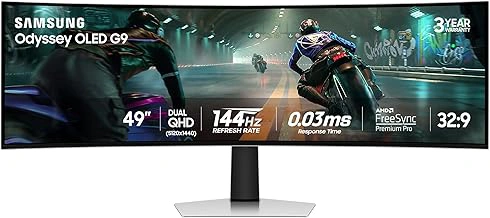
Samsung 49" Odyssey OLED G9 (G91SD) Dual QHD QD-OLED Curved Gaming Monitor
The Samsung 49" Odyssey OLED G9 (G91SD) delivers Dual QHD resolution (multiple×multiple) across a curved QD-OLED panel, offering infinite contrast that transforms night racing and low-light cockpit detail. The multipleR curve wraps peripheral vision more aggressively than flat triples, reducing the need to turn your head during corner entry, and the absence of bezels creates an uninterrupted horizon line from apex to exit.
OLED technology excels at rendering HDR brake lights, dashboard glow, and shadow gradients with per-pixel precision, but static HUD elements - lap timers, position overlays, fuel gauges - pose a burn-in risk during endurance sessions or repetitive hotlapping. Many sim racers mitigate this by enabling pixel shift, reducing HUD opacity, or cycling HUD layouts, though these workflows add friction compared to LCD alternatives.
At $1,299.99, the G91SD costs roughly the same as a triple multiple" multiplep setup when you include a quality triple monitor stand (multiple) and three identical panels. The ultrawide consolidates that investment into a single display with zero bezel interruptions and simpler cable management, but triple screens deliver wider total horizontal span (multiple×multiple native) and the flexibility to angle each panel independently for a more immersive wraparound effect. GPU demand sits between single multiplep and triple multiplep - expect multiple% higher frame costs than a standard multiple:9 monitor, requiring a GeForce RTX multiple or Radeon RX multiple XT to sustain multiple+ fps in demanding titles like Assetto Corsa Competizione or iRacing at high settings.
Desk footprint is another tradeoff: the Odyssey's stand measures roughly the listed size deep and the listed size wide, fitting most racing cockpits and deep desks without a monitor arm, while triple multiple" setups often require a sim rig frame or reinforced desk clamp to handle the combined weight and lateral span. If you prioritize contrast fidelity, minimal bezel distraction, and a single-cable workflow, the OLED G9 justifies its premium - provided you manage static UI elements and accept the narrower field of view compared to angled triples.
- ✅ Dual QHD 5120×1440 resolution with no bezels
- ✅ QD-OLED panel offers infinite contrast for night racing and HDR details
- ✅ 1800R curve wraps peripheral vision without head movement
- ✅ Single-cable setup simplifies desk or rig mounting
- ✅ Comparable total cost to triple 1440p setup including mount hardware
- ⚠️ OLED burn-in risk with static HUD elements during long sessions
- ⚠️ Narrower horizontal field of view than angled triple 27" screens
- ⚠️ Requires GeForce RTX 4070 or RX 7800 XT for 120+ fps at high settings
- ⚠️ $1,299.99 premium places it at the top of the ultrawide price range
Field of View: How Each Configuration Wraps Your Peripheral Vision
Field of view determines how much of the virtual cockpit and track environment you see without turning your head, and the two configurations deliver that wrap in different ways. An ultrawide monitor - whether 34-inch or 49-inch - typically delivers between 120° and 140° of horizontal FOV when seated at the optimal distance, with the exact angle influenced by screen curvature and how close you sit. A tighter curve such as 1000R places the edges closer to your peripheral vision at shorter distances, while a gentler 1800R curve requires you to sit slightly farther back to avoid distortion at the edges.
Triple screen setups extend peripheral coverage further, often reaching 160° to 180° of horizontal FOV when the side monitors are angled inward correctly. This wider wrap means you catch apex markers, competitors alongside, and cockpit mirrors in your natural peripheral vision rather than requiring a glance or virtual mirror. The tradeoff is that achieving accurate FOV in sim racing titles requires entering three separate screen dimensions and angles into the game's FOV calculator, whereas ultrawide setups typically need only width, height, and seating distance.
Game FOV calculators - built into titles like Assetto Corsa Competizione, iRacing, and rFactor 2 - use your screen size, curve, and viewing distance to render the virtual world at the correct scale. With an ultrawide, you input one display; with triples, you define a left, center, and right panel plus the angle between them. If those angles are wrong by even 10°, straight lines on track appear bent where the screens meet. Curvature interacts with this calculation because a 1000R ultrawide effectively shortens the ideal viewing distance to one meter, pulling you closer to the action, while flatter panels let you sit farther back without the edges feeling detached.
The practical result is that ultrawide configurations offer strong immersion with simpler setup, while triple screens provide the widest possible peripheral wrap at the cost of more complex calibration and physical space.
Bezel Interruption vs Seamless Curve: Visual Continuity Tradeoffs
Ultrawide monitors deliver a continuous, bezel-free image across the entire screen, eliminating any visual interruptions between the road ahead and your peripheral vision. Triple screen setups introduce two vertical bezels where the panels meet, creating thin black lines that bisect the side views - most noticeable during apex entry, mirror checks, and quick glances at competitor positions.
Bezel width varies significantly: modern thin-bezel gaming monitors may create gaps as narrow as 3 - 6 mm per seam, while budget or older panels can produce breaks of 10 - 15 mm or more. Thinner bezels reduce the interruption but never eliminate it entirely. Some drivers adapt within a few sessions and mentally filter out the seams; others report persistent distraction, especially in tight corners where peripheral vision shifts rapidly across the bezel line.
The curved surface of an ultrawide wraps smoothly around your field of view without breaking the image, which can feel more immersive during sustained racing and reduce the cognitive load of stitching together three separate frames. Triple screens offer wider total horizontal span and more granular angle adjustment per panel, but the trade is those two permanent visual seams. If uninterrupted sight lines matter more than maximum field of view, ultrawide delivers cleaner continuity; if you prioritize peripheral coverage and can tolerate bezels, triple screens extend your view further to each side.
GPU Demand: Pixel Count and Frame Rate Impact
GPU demand scales directly with pixel count, and the difference between ultrawide and triple screen configurations can determine whether your graphics card delivers smooth frame rates or forces quality compromises. A single 5120×1440 ultrawide pushes 7.37 million pixels per frame, while three 1920×1080 monitors in portrait or landscape total 6.22 million pixels - roughly 15% fewer. Triple 2560×1440 displays, however, reach 11.06 million pixels, 50% more than the ultrawide and enough to cut frame rates nearly in half on the same hardware.
In practice, this pixel gap translates to measurable performance differences in demanding titles like Assetto Corsa Competizione, iRacing, and rFactor 2. A mid-range GPU that sustains 90 fps on a 5120×1440 ultrawide at high settings may drop to 60 fps or lower on triple 1440p panels without reducing shadow quality, post-processing, or crowd detail. Triple 1080p setups offer a middle ground: they provide peripheral immersion with slightly lower total resolution than a flagship ultrawide, making them more approachable for GPUs in the RTX 4060 Ti or RX 7600 XT class.
Maintaining 90+ fps matters for both visual fluidity and input responsiveness, especially in competitive online racing where late braking or missed apex detection costs positions. If your current GPU struggles with triple 1440p, you face three options: lower in-game settings to medium or turn off anti-aliasing and ambient occlusion, upgrade to a higher-tier card with 20 - 30% more raster performance, or choose a lower-resolution triple setup or ultrawide that fits your existing hardware budget. The tradeoff is straightforward - more screen real estate and sharper distant detail require either more silicon or reduced visual fidelity.
Ultrawide configurations also benefit from better optimization in many sim titles, since a single framebuffer is simpler to render than three separate viewports. Some older or less-maintained sims handle triple screens through span mode or manual field-of-view tweaks, which can introduce minor CPU overhead or uneven frame pacing. Testing your target resolution and settings in a demanding track scene - rain at Spa or a full grid start at Monza - before committing to a monitor configuration ensures your GPU can sustain the frame rates your driving style depends on.
Mounting and Structural Requirements: Desk Space and Rig Integration
Mounting and structural requirements differ sharply between ultrawide and triple screen setups, starting with how much desk or rig real estate each configuration consumes. An ultrawide monitor typically fits a standard monitor arm or desk-mounted stand, occupying the footprint of a single display - often 30 to 35 inches wide for a 34-inch panel and slightly more for 49-inch super-ultrawides - while a triple screen array spans three panels side by side, pushing total width to 70 inches or more and requiring a dedicated triple-monitor stand or cockpit-mounted bracket system to hold alignment and angle.
Triple screen mounts fall into two categories: freestanding floor or desk stands that clamp or bolt to a surface, and cockpit-integrated brackets that attach directly to aluminum-profile rigs. Freestanding triple stands are heavier and bulkier than single-monitor arms, and they demand a rigid, level surface to prevent sway during aggressive steering or pedal inputs. Cockpit-mounted brackets solve the stability problem by anchoring monitors to the same frame as the wheel base and pedals, but they add cost and assembly time, and they lock the screens into the cockpit rather than leaving them available for general desktop use.
Desk space becomes a limiting factor quickly with triple screens. A typical 27-inch triple setup in landscape orientation claims roughly six feet of horizontal width when angled inward, leaving little room for keyboard trays, speaker stands, or peripheral equipment unless the desk itself is unusually deep or wide. Ultrawide monitors, even 49-inch models, leave more usable desk surface around the display and simplify cable routing because only one power cable, one DisplayPort or HDMI lead, and one USB upstream cable run to the PC instead of three sets of video and power connections.
Cable management grows more complex with triple screens not only because of the higher cable count but also because each monitor must route cleanly through or around the stand and cockpit frame without sagging or tangling during seat adjustments. Many triple-monitor stands include basic cable clips or channels, but cockpit-mounted setups often require zip ties, adhesive mounts, or custom 3D-printed guides to keep runs tidy and prevent connectors from stressing when the rig is moved or reconfigured.
Cockpit rigidity matters more for triple screens than for a single ultrawide. Any flex in the monitor mount translates to visible misalignment between bezels, breaking immersion and creating distracting gaps or overlaps in the image seam. Aluminum-profile cockpits handle the load well when triple-monitor brackets are bolted securely, but lighter or less rigid frames may wobble under the combined weight of three displays - typically 15 to 20 pounds total - especially if the mount cantilevers forward or uses shallow attachment points. Ultrawide monitors, even heavy ones, impose less rotational torque on a standard VESA arm and rarely require frame reinforcement.
For renters, shared spaces, or users who frequently reconfigure their setup, the single-mount simplicity of an ultrawide reduces both installation time and the risk of wall or desk damage, while triple screens lock you into a semi-permanent arrangement that is less forgiving when moving apartments or upgrading cockpit hardware.
Which Configuration Fits Your Rig and Budget
Your choice between ultrawide and triple screens depends on rig type, available space, and GPU headroom. If you want immersion without bezels and a clean, compact mounting solution, an ultrawide monitor simplifies cable management and requires less desk or cockpit width. Ultrawide setups work well on monitor arms or desk stands and put less strain on mid-range GPUs, making them a practical starting point for sim racers upgrading from a single 16:9 display.
Triple screens deliver wider peripheral field of view and deeper side visibility in cockpit view, but they require a rigid mounting solution - either a dedicated triple monitor stand or a cockpit frame with monitor brackets. The added bezel interruptions are the tradeoff for that extra horizontal span, and driving three displays simultaneously demands more GPU power, especially at higher refresh rates. Plan for sturdy mounts that can hold alignment across all three panels and account for the extra footprint behind your wheel base.
Budget tiers break down clearly: an entry triple setup with budget 24-inch panels can start around $320, a mid-tier 34-inch ultrawide typically lands near $650, and a premium ultrawide OLED pushes toward $1,300. Match your configuration to your cockpit's rigidity and your graphics card's capability, then choose the layout that fits your available space and the level of immersion you're targeting.
Final Recommendation
Choosing between ultrawide and triple screen sim racing setups comes down to matching display architecture to your racing priorities and hardware constraints. If you primarily drive open-wheel or prototype cars where peripheral awareness of nearby competitors is critical, triple screens deliver a measurable field-of-view advantage - typically 120 - 180 degrees horizontal versus 90 - 110 degrees on ultrawide panels - making it easier to track rivals through fast corners and defend position on tight circuits. The trade-off is managing three bezels, higher GPU demand, and more complex mounting. If you value visual continuity, want to minimize desk footprint, and prefer lower GPU overhead, an ultrawide monitor is the pragmatic choice: one cable, no bezel interruptions, and roughly 30 - 40 percent less pixel workload in many racing titles.
Both configurations deliver genuine immersion when sized and positioned correctly. Triple screens excel at replicating the wrap-around cockpit view found in real race cars, which can improve spatial judgment during wheel-to-wheel battles. Ultrawide setups shine in single-driver hot-lapping, time-trial sessions, and mixed-use scenarios where you switch between racing and productivity without reconfiguring monitors. Your decision should hinge on cockpit infrastructure - whether your rig or desk can accommodate the depth and width of a triple mount - GPU headroom to sustain target frame rates at the combined resolution, and your tolerance for bezels crossing the edge of your peripheral vision. Neither path is objectively superior; the right setup is the one that aligns display geometry, hardware capability, and physical workspace into a stable, comfortable racing environment.
Common Setup Mistakes to Avoid
- Running triple 1440p panels without confirming GPU can sustain 90+ fps in your primary sim title
- Mixing monitors with different refresh rates or panel types in a triple setup (causes image tearing and uneven motion)
- Mounting ultrawide or triple screens too far from the wheel rim (reduces effective FOV and peripheral immersion)
- Skipping in-game FOV calculator and guessing angle values (leads to distorted spatial perception in corners)
- Using flimsy desk clamps or arms for triple monitors instead of cockpit-mounted aluminum profile stands
- Ignoring cable management from the start (creates desk clutter and risks accidental disconnects mid-session)